WindowServer, mds_stores, kernel_task: what these processes actually do
The fan spins up, Activity Monitor shows a name nobody explains. What the twelve most common macOS processes do, when their CPU load is normal — and when it is not.
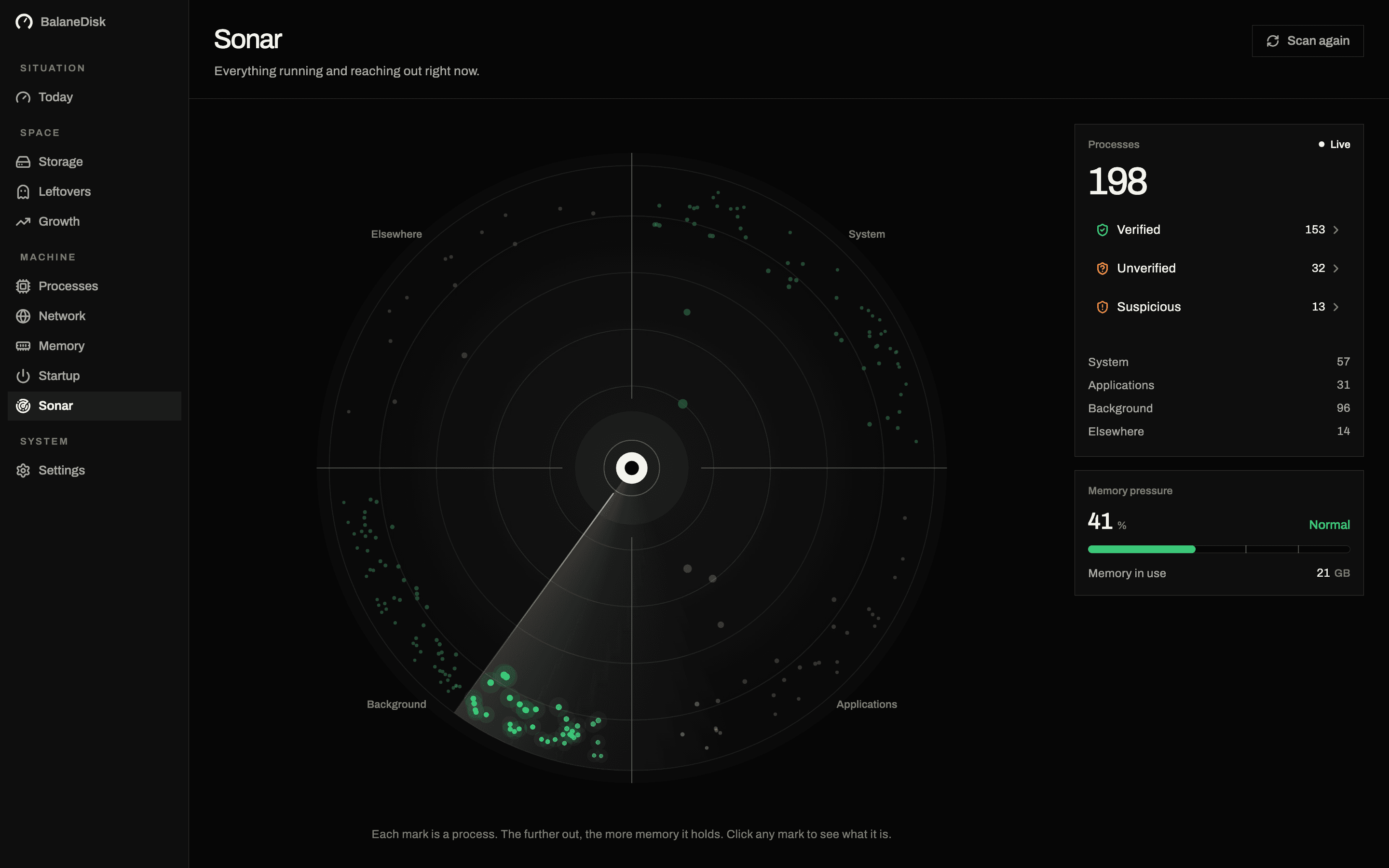
The fan spins up, you open Activity Monitor, and at the top sits mds_stores at 240 %. The name explains nothing, the column next to it explains nothing, and the web offers four forum threads with five contradictory suggestions.
Here is the short list of the names that actually turn up — and what they mean.
System
Ships with the operating system.
Applications
Things you opened.
Background
Helpers, agents, updaters.
Elsewhere
Running from somewhere unusual.
The twelve most common
| Process | What it does | High load is normal when … |
|---|---|---|
WindowServer | draws everything visible | multiple displays, video, lots of motion |
kernel_task | the system core; throttles on heat | the machine is warm or charging |
mds, mds_stores | Spotlight indexing | after an update, a copy, a large checkout |
mdworker_shared | individual indexing jobs | same, in bursts |
backupd | Time Machine | a backup is running |
photoanalysisd | Photos: faces, places, objects | after a big import, while idle |
cloudd, bird | iCloud sync | after signing in or a large upload |
syspolicyd | Gatekeeper checking signatures | the first launch of a new app |
nsurlsessiond | background downloads | updates, iCloud, App Store |
coreaudiod | audio | always present, always low |
distnoted | notifications between processes | briefly, in spikes |
launchd | starts and supervises everything | always there, almost never loud |
Anything beyond that list is either a program you recognise — or one that owes you an explanation.
Three patterns that deserve a second look
A process with a version number instead of a name. Helper (Renderer), com.example.updater.v2 — the name says nothing, the path says plenty. Identification runs through the path, not the process name.
A process running from a temporary folder. Anything running out of /tmp, /var/folders or the Downloads folder is not automatically malicious — installers and build tools look exactly like this. It is the short list worth reading.
A process with no valid signature. On macOS that is the exception. Not every exception is an attack (self-compiled binaries, older open-source tools), but every one deserves a glance.
How to identify a name that is on no list
Four commands, in the order that answers the most with the least. Take the PID out of Activity Monitor's first column.
ps -p 1234 -o comm=,args=          the full path and the arguments it was started with
lsof -p 1234 | head -40            the files and sockets it currently holds
codesign -dv --verbose=4 /path     who signed it, and with which identifier
spctl -a -vv /path                 whether macOS would still let it launch today
The path is usually the whole answer. /Applications/Something.app/Contents/MacOS/Helper is a helper of a program you installed. /Users/you/Downloads/installer_v3 running three weeks after you ran the installer is a different conversation.
codesign output worth reading: the Authority lines name the certificate chain, and the Identifier is the bundle identifier the developer chose. An identifier that does not match the program's name is not automatically wrong — but it is the thread to pull.
The Activity Monitor columns that mislead
% CPU above 100. Not a bug and not an emergency. The figure is per core: 400 % on an eight-core machine means four cores fully occupied, and half the machine is still free.
Energy Impact. A composite of CPU, wake-ups and GPU use, weighted by Apple. Useful for battery questions, useless for "why is this slow" — a process can be top of the energy list and cost you no responsiveness at all.
Memory vs Compressed Memory. The Memory column is what a process holds; Compressed is what the system packed down because it was rarely touched. Compression is the system working, not a problem — see memory pressure, not free RAM.
Threads and Ports. Interesting for developers, noise for everyone else. A process with 900 threads is not thereby suspicious.
Why a list without explanations does not help
Activity Monitor gives you names and numbers. What it does not give you is the sentence that turns a name into a decision. "WindowServer draws your screen" is that sentence. Looking it up costs you ten seconds — two minutes for twelve processes, an afternoon for the 198 running on an ordinary Mac.
That is exactly why BalaneDisk ships a localised explanation database: every known process gets one line of plain language, in English and German, next to the verdict — verified, unverified, suspicious. No comparable tool translates that part.
What to do at the next fan concert
- 01Read the name — and check it against the table above.
- 02If it is Spotlight, Photos or Time Machine: wait. All three are finite.
- 03If it is
kernel_task: find the heat (charger, sunlight, blocked vents), not the process. - 04If it is
WindowServerwith nothing moving: close windows until the load drops — the last one closed is the culprit. - 05If it is a name you cannot place: read the path, check the signature, then decide.
Next: Memory pressure is not free memory · What your Mac is really doing · Windows machine? Why MsMpEng.exe eats your CPU
Questions people ask
- Why is WindowServer using so much CPU?
- WindowServer draws everything you see. Its load rises with resolution, refresh rate, number of displays, transparency effects and the number of moving windows. Consistently high figures with nothing visibly moving usually point at a program redrawing constantly — often a browser tab or an Electron app.
- Can I kill kernel_task?
- No, and you would not want to. kernel_task deliberately occupies CPU time to slow other processes down when the machine is too warm. The high load is the countermeasure, not the problem — the problem is the heat.
- Why does mds_stores run all the time?
- mds_stores is Spotlight indexing. After an update, a large copy or on a developer machine full of node_modules folders it can run for hours. Adding those folders to Spotlight's privacy list helps far more permanently than any restart.